
By Muhammad Shakeel · Nov 5, 2026 · 11 min read
Redesigning your site without an seo checklist costs rankings. URL mapping, redirects, metadata, and speed: the migration steps that protect your traffic.
A redesign does not have to cost you rankings. Google's John Mueller has said there is nothing on Google's side that requires a site's ranking to change just because it was revamped. He has also said that changing your page layout can definitely affect SEO, for better or worse. The difference between those two outcomes is not luck. It is a checklist, worked through before launch instead of after the traffic graph falls off a cliff.
Most redesign traffic losses come from the same short list of avoidable mistakes: missing redirects, a staging noindex tag shipped to production, content cut for aesthetics, and metadata lost in the platform move. This checklist covers all of them in the order you should work them: before the redesign, during the build, and after launch.
Phase 1: Before anyone designs anything

1. Crawl the current site and save everything
Run a full crawl of the live site with a tool like Screaming Frog or Sitebulb and export every URL with its title tag, meta description, H1, canonical tag, status code, word count, internal link count, and structured data type. This export is your source of truth for the entire project. Without it, you cannot build a redirect map, you cannot prove what changed, and you cannot tell whether a post-launch traffic drop is a migration problem or something else.
Store the crawl where the whole team can reach it, and keep a dated copy. You will compare against it at least twice: once on staging before launch, and once after.
2. Benchmark what ranks, what earns links, and how fast it loads
Export your top pages and top queries from Google Search Console, with clicks and impressions. Search Console only keeps 16 months of data, so save it now or lose your year-over-year comparison. Note which pages drive the most organic traffic and which queries they rank for; these are the pages the redesign must not break.
Pull your backlink data too. Pages with external backlinks are the highest-priority assets in any migration, because every one of those links has to keep working through a redirect. Finally, benchmark Core Web Vitals for your main templates from PageSpeed Insights or CrUX data. Google's own migration guidance notes that after a move, Google crawls the new site more heavily than usual, so your server needs the headroom, and you need a baseline to prove the new build did not get slower.
3. Decide the fate of every page before design starts
For each URL in your crawl, mark it: keep, merge, rewrite, or retire. This decision belongs to SEO, not to the designer. Redesigns routinely cut copy for aesthetic reasons, and cutting the 1,800-word guide that ranks for 300 keywords down to a 200-word card is the fastest way to lose those rankings. You cannot rank on content that no longer exists.
Pages with no equivalent on the new site still need a destination: the most relevant category or parent page, never the homepage. Mass-redirecting retired pages to the homepage is treated by Google as a soft 404, which means the old page's signals do not pass along.
4. Freeze everything else: change one thing at a time
Google's site move guidance is blunt: change only one thing at a time. Do not combine a redesign with a domain change, a platform migration, and a site structure overhaul in a single launch if you can avoid it. Every simultaneous change multiplies the variables, and when traffic drops you will not know which change caused it.
If a domain move is unavoidable, sequence it: redesign first on the same domain, let rankings settle, then move the domain. If the site is large, Google even suggests moving one section first to test the effect on traffic and indexing before moving the rest.
Phase 2: During the build
5. Keep URLs identical wherever possible
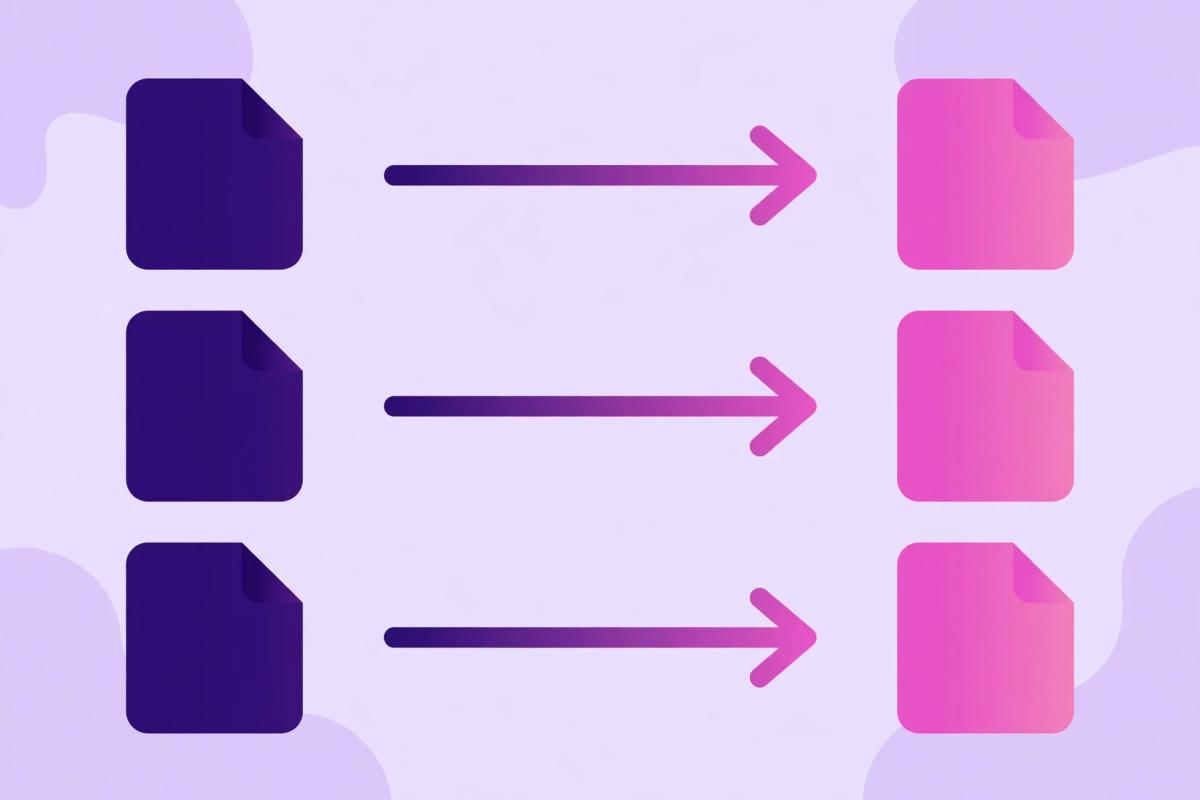
The best redirect is no redirect. Every URL that keeps its exact address keeps its rankings, its links, and its history with zero intervention. Push back on URL changes that exist only for tidiness: a cleaner slug is not worth the migration risk on a page that already ranks.
Where the platform forces new URLs (a common case moving to a new CMS), list every changed URL now. That list becomes the redirect map in the next step. Do not discover URL changes after launch by watching 404s spike.
6. Build a one-to-one redirect map, then implement it with 301s
Map every old URL to its closest equivalent new URL, one row per URL: old address, new address, expected status code, page type, and migration status. Each old URL goes to its real new equivalent. Old "Kitchen Renovations" goes to new "Kitchen Renovations", not to "Services", and never to the homepage.
Implement the map with server-side 301 redirects (308 works too for a permanent move). Google's redirect documentation says server-side redirects have the highest chance of being interpreted correctly, and that Googlebot follows a permanent redirect and treats the target as canonical. Google also states plainly that 301s and other permanent redirects do not cause a loss in PageRank, so the old worry about redirect equity loss should not stop you from mapping thoroughly.
7. Point every redirect at the final destination, with no chains
Each old URL should resolve straight to its final new URL in a single hop. Redirect chains (old URL to intermediate URL to final URL, including redirects left over from earlier migrations) slow down crawling, waste crawl budget, and dilute the signal. Google's guidance advises redirecting straight to the final URL.
Audit the chain depth as part of the map: crawl the old URLs, follow each redirect, and confirm every one lands in a single 301. Fix chains before launch, not after, because chains are much harder to spot in post-launch log data.
8. Preserve the content on pages that rank

Hand the design team a do-not-cut list: the pages from step 2 that drive organic traffic, with their word counts and target queries attached. Body copy, headings, FAQs, and buying guides on those pages stay substantively intact. Trimming for design is fine on pages with no search traffic; on ranking pages, every removed section is a removed reason to rank.
The same applies to content formats: if a ranking page has a comparison table, a video, or downloadable resources that earned links, those assets move to the new page too. Links were earned by the page as it exists, not by the page as the designer wishes it looked.
9. Migrate every piece of metadata, not just the visible text
Export all title tags, meta descriptions, canonical tags, hreflang tags, Open Graph tags, and structured data from the old site before the redesign begins, and rebuild each one on the new site. Lost metadata is one of the top causes of post-redesign traffic drops, and it happens because a new CMS regenerates titles and descriptions from its own defaults.
Check the quiet ones especially: canonical tags must point at the new production URLs (not the staging domain), hreflang must survive the move intact, and structured data (Product, FAQ, Article, Breadcrumb markup) must be rebuilt in the new templates. A redesign that drops schema silently gives up the rich results the old pages had earned.
10. Keep the internal linking structure that made deep pages important
A mega menu that becomes a hamburger with 5 items, a footer stripped of links, a sidebar removed for minimalism: each of these quietly tells Google that your deep pages matter less than they used to. Internal links are how importance flows through a site, and redesigns that flatten navigation starve the pages that used to rank.
Audit internal link counts per page before and after (your step 1 crawl has the before). Any page that loses a large share of its internal links needs those links restored somewhere in the new design: in-content links, breadcrumbs, related-post blocks, or footer links. Update all internal links to point at the new URLs directly instead of routing through redirects.
11. Lock down staging, then clear every lock at launch

Staging environments need noindex tags and blocked robots.txt so Google does not index the duplicate site. Production must not have them. The single most common catastrophic migration mistake is shipping staging's noindex or its blocking robots.txt to production, followed closely by canonical tags that still point at the staging domain.
Make this a launch-gate item with a named owner: before DNS flips, crawl the production URLs and confirm every page returns 200, the robots.txt allows crawling, no page carries a noindex tag, and every canonical is self-referencing on the production domain. It takes 10 minutes and prevents the two-minute fix that costs weeks of traffic.
12. Do not ship a slower site
Bigger hero videos, heavier scripts, and unoptimized images are the standard redesign tax, and Core Web Vitals regressions drag down both rankings and conversions. Compare the new templates against your step 2 baseline in PageSpeed Insights before launch, on mobile first.
Watch for rendering regressions too: if the new site is JavaScript-rendered, confirm that crawlers receive the full content, not an empty shell. A page that looks complete in a browser but serves empty HTML to a crawler has effectively deleted its own content as far as Google is concerned.
Phase 3: Launch and the weeks after

13. Launch clean, then tell Google what changed
Time the launch for a lower-traffic window if your traffic is seasonal or dips on certain weekdays. At launch: submit the new XML sitemap in Search Console, and for a domain move, submit a Change of Address from the old Search Console property (it runs on domain-level properties, and Google forwards signals to the new domain for a 180-day window). Verify both the old and new properties separately in Search Console.
Keep every 301 redirect in place for at least a year; Google recommends keeping them as long as possible. Removing redirects after a few months strands the backlinks that still point at the old URLs.
14. Monitor daily for the first month, and know what is normal
Expect ranking fluctuations for a few weeks while Google recrawls and reindexes the site; Google says this explicitly, and for medium sites it can take a few weeks or more before new URLs largely replace old ones. A temporary dip that stabilizes is normal. A dip that keeps worsening after 4 to 6 weeks, or a sharp drop on key pages, means something broke.
Watch Search Console daily: a spike in "Not found (404)" pages, pages moving to "Crawled, currently not indexed", impressions dropping for specific queries rather than across the board, and a rise in "Alternate page with proper canonical tag" on pages you meant to index. Each symptom maps to a checklist item above: 404s mean the redirect map has gaps, canonical warnings mean step 9 or 11 slipped, and query-specific drops mean step 8 cut content that ranked.
The comparison table: the migration step and the safe version
| Migration step | What goes wrong | The safe version |
|---|---|---|
| Pre-launch crawl | No record of old URLs, titles, or content | Full crawl exported: URLs, titles, metas, H1s, canonicals, word counts, schema |
| Benchmarking | No baseline, so post-launch drops cannot be diagnosed | GSC data (16 months), backlink list, Core Web Vitals baseline saved |
| Redirect mapping | Changed URLs 404; rankings and link equity lost | One-to-one map: every old URL to its closest new equivalent |
| Redirect type | Temporary or client-side redirects confuse canonicalization | Server-side 301 (or 308) redirects, single hop to the final URL |
| Homepage redirects | Mass homepage redirects treated as soft 404s | Retired pages go to the most relevant category page |
| Content migration | Ranking copy cut for design; pages lose their reasons to rank | Do-not-cut list for traffic pages; assets move with the page |
| Metadata migration | CMS defaults overwrite titles, descriptions, canonicals, schema | All metadata exported from the old site and rebuilt on the new |
| Staging settings | Staging noindex or blocked robots.txt ships to production | Launch-gate crawl confirms 200s, crawlable robots.txt, no stray noindex |
Frequently asked questions
Will a redesign hurt my rankings?
Not by itself. Google's John Mueller has said there is nothing on Google's side that requires a ranking change just because a site was revamped. Rankings change when the things Google reads change: page addresses, content, headings, internal links, speed, and technical settings. Protect those and a redesign can even improve rankings.
How long does it take to recover after a migration?
Expect fluctuations for a few weeks while Google recrawls and reindexes. Google's own guidance says that for medium sites it can take a few weeks or more before new URLs largely replace old ones, and longer for large sites. A dip that stabilizes is normal; one that keeps worsening after 4 to 6 weeks needs investigation.
Do 301 redirects lose link equity?
No. Google states that 301 and other permanent redirects do not cause a loss in PageRank. What loses equity is having no redirect at all (the old URL 404s), redirecting to an irrelevant page, or chaining multiple redirects together.
Can I just redirect all old pages to the homepage?
Do not. Google's site move guide warns that redirecting many old URLs to one irrelevant destination may be treated as a soft 404, which means the old pages' signals do not pass along. Send each old URL to its closest equivalent page, or to the most relevant category page for retired content.
When should I use Google's Change of Address tool?
Only for domain moves: old-domain.com to new-domain.com. It does not apply to HTTP-to-HTTPS moves, www changes, or path changes on the same domain. It runs on domain-level Search Console properties, and Google forwards ranking signals to the new domain for a 180-day window. File it after the 301 redirects are live, not before.
The bottom line
A redesign is a controlled demolition followed by a rebuild, and the checklist is what keeps it controlled. Crawl and benchmark before anyone designs. Map every URL one to one. Keep the content, metadata, and internal links that earned the rankings. Lock down staging and verify it at launch. Then monitor daily and give Google a few weeks to catch up.
Skip the checklist and the failure modes are well documented: 404s where rankings used to be, a noindex tag strangling the new site, and months of rebuilding what a few weeks of preparation would have preserved. The redesign should be the exciting part. The migration is the part that has to be boring.
If a migration is on your roadmap and you want it handled end to end, start with a technical SEO audit: crawl, benchmarks, redirect map, and a launch-gate check, done before your designers start. Get a free quote and we will scope it against your current site.
Want this done for your site?
Reading helps, but rankings come from doing. Request a free SEO audit and our team will look at your actual site.